
A useful definition of “safe”
The question “is Flingster safe?” has no reliable yes-or-no answer for every person and every conversation. Separate technical controls, other people’s behaviour and the information you choose to expose. A polished interface is not evidence that a stranger has good intentions.
Flingster’s terms describe an adult service with random video and text communication and an age requirement of 18 or the applicable age of majority. This guide is for adults and does not provide access to chat sessions. Read the current terms yourself if you need to understand eligibility or restrictions.
Decide what stays off screen
Before a conversation, choose a small boundary: no full name, workplace, home address, account credentials or financial details. Look at your background as carefully as your words. A parcel label, staff badge or notification can answer questions you never meant to answer.
You do not need to supply an alternative contact method just because someone asks. Keeping an interaction in one place gives you fewer accounts and messages to manage. If a person treats a simple boundary as an obstacle to overcome, take that response seriously.
| What happens | Your next step | Do not assume |
|---|---|---|
| A boundary is ignored | End the interaction. | A longer explanation will change their behaviour. |
| A stranger sends a link | Leave it unopened while you assess it. | A familiar-looking address proves it is safe. |
| Someone threatens you | Get support and use official reporting. | A payment guarantees deletion. |
| The camera stays active | Close the session and review permissions. | Closing a preview revoked browser permission. |
Notice the request, not just the tone
Pressure can sound friendly. “Prove you trust me”, repeated requests after a refusal or urgency about moving to another app all ask you to give up time to think. A flattering introduction does not make the next request reasonable.
Treat unexpected links, downloads, payment requests and promises about deleting a recording cautiously. You cannot verify what a stranger keeps on another device. Do not turn a conversation into a test you must pass to deserve respect.
Leave first; report through the right channel
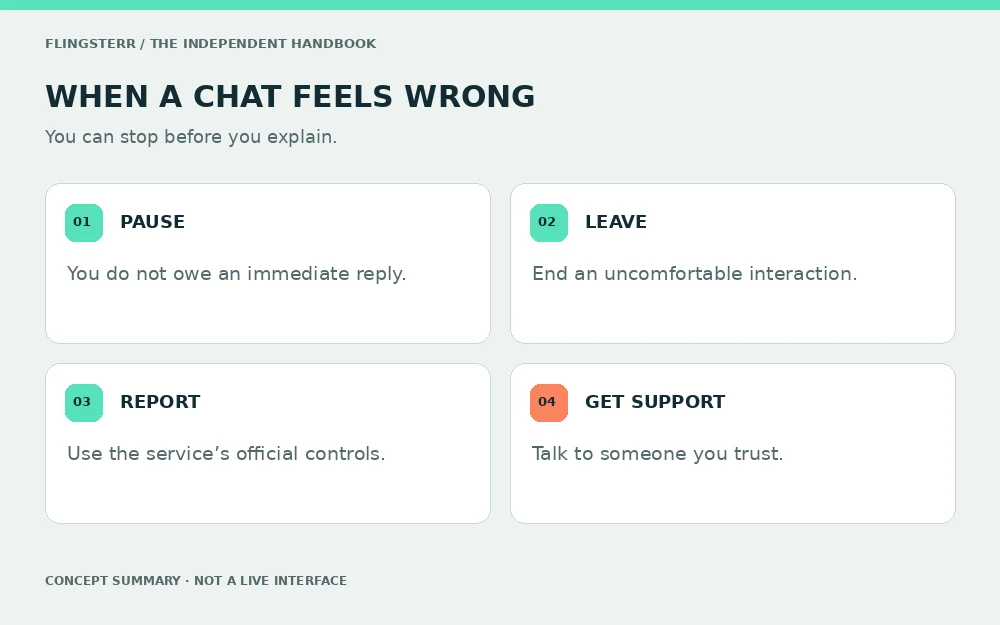
Flingster’s safety page describes a reporting flag and advises leaving uncomfortable interactions. Look for the current in-service control rather than relying on the position of a button in an old screenshot. Our illustrations are concepts, not a map of the live interface.
If you report an interaction, describe what happened plainly and follow the service’s instructions. Do not forward harmful private material to this website. We cannot inspect a chat, investigate another user or act on a platform’s moderation queue.
If a request becomes a threat
A threat changes the situation. Pause the exchange, avoid sending more private information and seek support from someone you trust. A demand for payment or more material is not a reliable route to getting control back.
Keep a factual record of the threat and relevant account details when it is safe to do so; avoid downloading or circulating illegal material. Use the platform’s official reporting process. If there is an immediate threat to physical safety, contact local emergency services. This publication is not an emergency or reporting service.
Make room to step away
A useful safety habit should work even when you are tired. Close the tab, cover the camera and take a break if a conversation starts to feel like work. You do not have to finish an argument or explain the same limit again.
After an unsettling interaction, review any information or links you shared. If you exposed a password, change it through the real account provider. If you are unsure about camera access, follow our browser permission guide rather than installing an unknown “fix”.
You can end a conversation before you have enough evidence to explain why it feels wrong.
Questions & answers
Is Flingster safe for everyone?
No service can guarantee every interaction. Consider other people’s behaviour, camera exposure and personal information separately.
Is this website a Flingster chat service?
No. Flingsterr is an independent educational publication and does not connect visitors to chat partners.
Does an age requirement verify every stranger’s identity?
No. A stated age requirement is not proof of the age or identity of an individual you meet.
Do I have to explain before leaving?
No. You may end an interaction when you are uncomfortable, even if you cannot describe a specific violation.
Where do I report a Flingster interaction?
Use the current reporting controls and official safety instructions inside the service. This publication cannot receive platform reports.
Should I send private material to this site for help?
No. This website has no upload or investigation service. Use official support channels and avoid redistributing private material.
Primary sources
Official pages reviewed 20 October 2026. Browser labels, service features and policies may change. Read the current source for details. This independent educational guide cannot verify another service’s internal systems or an individual user’s behaviour.